
Builder sceneNostr: All Your Silos Are Broken41:31 - Panel material for readers who want the people, politics and product energy behind the protocol.Open on YouTube
Media
Media & Publishing
Open videos, articles, creator routes and publishing tools with clear context.
Pick the medium
Start with the thing you want to make, watch or verify.
A creator does not arrive with a taxonomy. You arrive with a video, a music release, a long article, a media app, a source you trust or a public figure worth following. The right door keeps that moment intact and opens the exact part of the archive behind it.

 Watch firstOpen talks, explainers and audio trails when the fastest path is hearing someone make the idea click.
 Read the article atlasArticles, PR, public explainers, funding stories and research pieces live in one clean Media route now.
 Follow the creator routePortable audiences, fan status, zaps, profiles and creator business belong together.
Open music and mediaSongs, video, streaming, publishing tools and value-for-value culture get one calm door.
Follow the creator routePortable audiences, fan status, zaps, profiles and creator business belong together.
Open music and mediaSongs, video, streaming, publishing tools and value-for-value culture get one calm door.
 Publish deeperLong-form routes explain how writing survives beyond one timeline or one client.
 Store the mediaFiles, attachments, Blossom and metadata become readable before standards detail.
Keep the research shelfDirectories, long reads and external references stay reachable without turning Basics into a link wall.
Store the mediaFiles, attachments, Blossom and metadata become readable before standards detail.
Keep the research shelfDirectories, long reads and external references stay reachable without turning Basics into a link wall.





Watch the idea land
The right video can save twenty lost clicks.
These are fast doors into the public talks, interviews and creator conversations that make Nostr easier to feel before you study the page beneath it.
Event historyNostr World: Nostrica Q&A1:01:23 - A useful window into the early public scene, the rooms and the questions people brought with them.Open on YouTube
First explanationHow to Start with Nostr Today5:16 - Short presentation material for the reader who needs a human-rights and freedom-tech frame first.Open on YouTube
MusicNostr and Fountain2:01:57 - Good for mapping podcasts, music, streaming and value-for-value media without starting from code.Open on YouTube
Beginner doorFast Nostr explainer1:46 - The fast mental model before keys, clients and relays start to sound natural.Open on YouTube
Creator pathCreator and media context1:44:33 - A practical route into why publishing, identity and audience should not be locked to one app.Open on YouTube





Read the public record
The best articles turn protocol talk into a public story.
External coverage shows how Nostr is explained outside its own circle. These previews pull strong public pieces into the hub while the full article atlas stays one click deeper.
 Lyn AldenThe Power of NostrA deep essay that makes identity, censorship resistance and open social infrastructure legible for non-specialists.
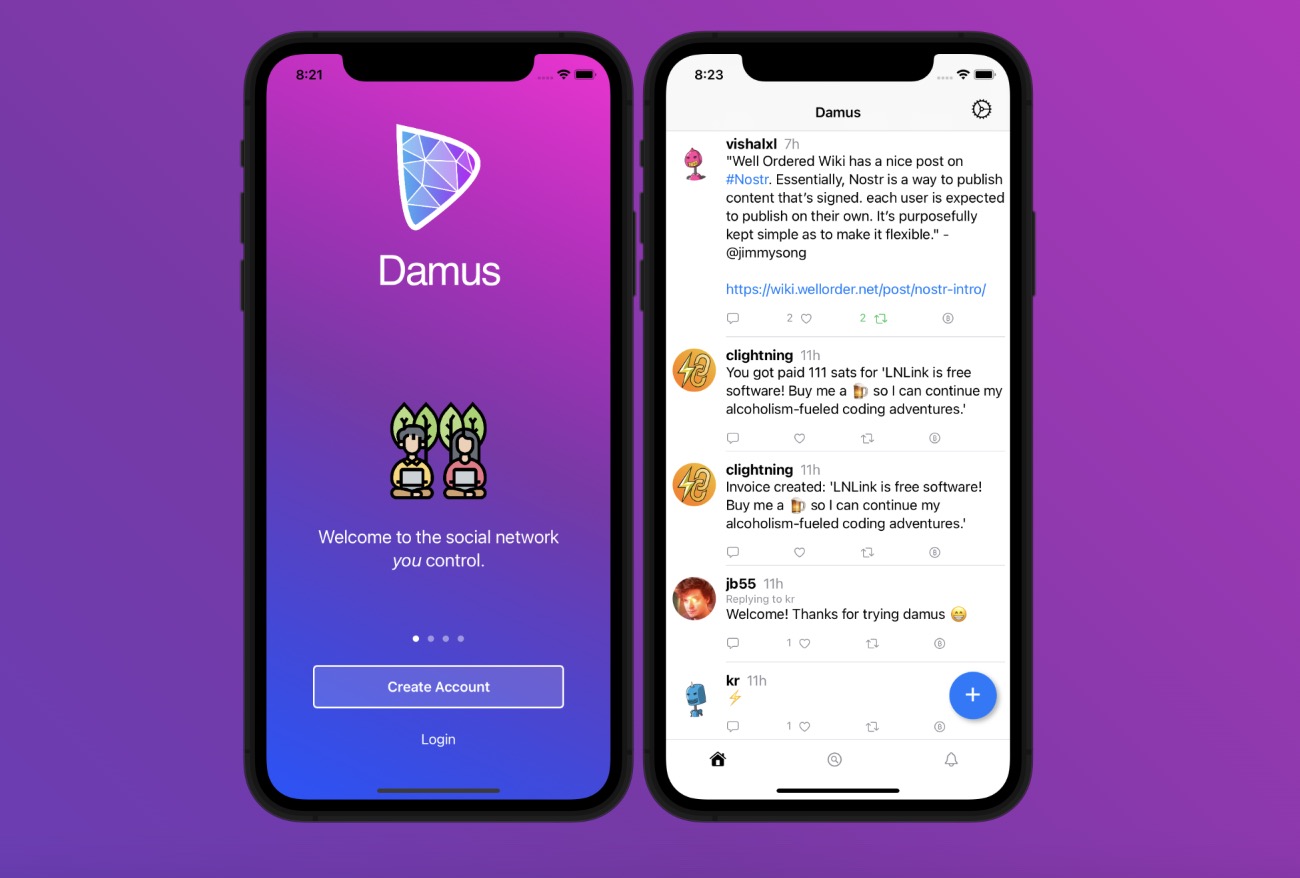 TechCrunchDamus enters the social app conversationA mainstream product read on how a Nostr client became understandable as a social app moment.
 CryptoRankBeyond the FeedA bridge from timeline thinking toward real-world potential, products and community use.
 PR NewswirePrimal launches for digital freedomProduct-positioning material for comparing clients, publishing surfaces and daily social use.
 SoapboxNostr 101A simple outside explainer that helps a reader move from curiosity into the first vocabulary.




Source room
Follow the medium, then open the evidence.
The hub should not make you scan hundreds of links before the first useful decision. Start with the media shape you recognize, then move into the source shelf, the app route, the creator route or the full archive.
Watch the storyTalks and interviews make the social, creator and product layers easier to understand quickly.
Read the article atlasExternal coverage, product launches, funding signals and research reads are sorted by topic.
Track the creator layerCreator pages connect audiences, fan status, zaps, profiles, culture and business cases.
Follow music and streamingUse this when media is not just text: audio, video, live culture and value-for-value flows.
Choose a product surfaceMedia apps still live in Apps; this hub sends you there when the question is which tool to use.
Open the whole shelfUse the complete Media directory when you need every page, category, guide and source trail.





Outside signals
External media links live here, not hidden inside Basics.
The archive can still point to apps, people, commerce or NIPs when the context belongs there. But videos, articles, music pages, creator platforms and media reporting are steered from this Media hub first.
Reporting and essays
Scenes and events
Music and creator products
Product routes





Archive shelves
The media map becomes useful when it has rooms.
Each room answers a different reader question: what to watch, what to read, which tool to open, how creators publish and where the deeper research source belongs.
0801
Media apps
Blogging, music, photos, streaming and video apps stay connected to the product hub without disappearing from Media.
Open when the question is tool choice0702
Field guides
Short practical routes turn creator economy, long-form posts, music scenes, photos and video events into usable next steps.
Open when the medium is known0603
Deep dives
When a surface becomes serious, the deep dives explain long-form publishing, media storage, creator business, photos, music and streaming.
Open when the reader needs depth0204
Source archives
The old Basics media archive and resources page now sit under Media, while videos and articles each get a clean atlas.
Open when the evidence matters0905
Creators and publishing
Creators need more than a profile: audience, rights, comments, zaps, fan status, writing, media files and product surfaces.
Open when the person and the work meetN06
Standards stay in NIPs
When the question becomes a standard, the next click goes to the NIPs route. Media should explain the use case, not swallow the standards shelf.
Open when the protocol detail mattersHow to use this page
Follow the publishing trail.
Start with reads, video and creator routes. Then open storage, long-form, podcast and source pages when you want the media layer behind the feed.
Loading the full atlas index.
MediaBrowse the full Media route119 pages in this routeVideos, articles, creator pages, media apps, field guides and source archives in one map.Browse pagesClose shelf
App categories
App profiles
Media and creators
Deep dives
Blossom Servers, Relays and Nostr Media StorageLong-Form Nostr and the Return of the Small PublisherLong-Form PublishingMedia Attachments and BlossomNostr for Creator BusinessNostr for FansNostr for MusicNostr for PhotosNostr for Podcasts and AudioNostr for Video and StreamingNostr Reads as Public MemoryVideo, Podcasts and the Open Social Backstage
Field guides
Artist Communities: Nostr Field GuideAudio and Voice: Nostr Field GuideBlossom Storage: Nostr Field GuideComments on Articles: Nostr Field GuideCreator Diaries: Nostr Field GuideCreator Economy: Nostr Field GuideFile Metadata: Nostr Field GuideHabla and YakiHonne: Nostr Field GuideHighlights: Nostr Field GuideLive Activities: Nostr Field GuideLong-Form Articles: Nostr Field GuideLongform Salon: Nostr Field GuideMusic on Nostr: Nostr Field GuideMusic Scenes: Nostr Field GuideNIP-96 Storage: Nostr Field GuideNostr Journalism: Nostr Field GuidePhotography Scenes: Nostr Field GuidePhotos on Nostr: Nostr Field GuidePrimal Reads: Nostr Field GuideVideo Events: Nostr Field GuideWiki Events: Nostr Field GuideWriting for Nostr: Nostr Field Guide
Awesome Nostr branches
NIP reference pages
Research and library
An Empirical Analysis of the Nostr Social NetworkBorisForbes — Guide to NostrHabla NewsHacker News — Nostr discussionsHighlightsLyn Alden — The Power of NostrNo Bullshit Bitcoin — Primal v2.0Nostr CompassNostr Compass NewslettersNostr Compass PodcastNostr Design docsNostr.comNostr.com ExploreNostr.com indexed Primal Reads noteNostr.com Topics / ArticlesNostrium / read.nostr.comPostr / write.nostr.comReads and research atlasReddit r/nostrSoapbox — Nostr 101The Nostr BookWikipedia — Nostr
Source archives
Source inventory
Deep Research: Reads, essays and researchResearch Source: An Empirical Analysis of the Nostr Social NetworkResearch Source: diVineResearch Source: Forbes — Guide to NostrResearch Source: Hacker News — Nostr discussionsResearch Source: Long-form ContentResearch Source: Lyn Alden — The Power of NostrResearch Source: Media Attachments MetadataResearch Source: NIP-71: Video EventsResearch Source: No Bullshit Bitcoin — Primal v2.0Research Source: Nostr CompassResearch Source: Nostr Compass NewslettersResearch Source: Nostr Compass PodcastResearch Source: Nostr Design docsResearch Source: Nostr.comResearch Source: Nostr.com ExploreResearch Source: Nostr.com indexed Primal Reads noteResearch Source: NostrApps category — BloggingResearch Source: NostrApps category — Microblogging clientsResearch Source: NostrApps category — MusicResearch Source: NostrApps category — PhotosResearch Source: NostrApps category — StreamingResearch Source: NostrApps category — VideoResearch Source: Nostrium / read.nostr.comResearch Source: Postr / write.nostr.comResearch Source: Reddit r/nostrResearch Source: Soapbox — Nostr 101Research Source: The Nostr BookResearch Source: Wikipedia — NostrResearch Source: YakiHonne
Read first
Create and publish
Useful next





Bring something back
Ask, suggest, submit or nominate.
Ask a question, send a source, suggest a fix, submit a project or nominate a public Nostr account. The article stays stable; your contribution gets reviewed beside it.